Best Laptop Power Banks: The 5 We'd Run a Laptop From Off-Grid in 2026
Working from a van, an RV, or a boat means the laptop has to outlast the outlet. A power bank is what keeps you online between shore-power stops, and picking one is a numbers decision: the watt-hours that decide how long it lasts, the output wattage that decides whether it charges your laptop at all, and the 100 watt-hour ceiling that decides whether you can fly with it. We don't run a lab. We read the owner-review signal across Amazon and the manufacturer specs, weighted for the off-grid worker, and ranked five by watt-hours per dollar, charging speed, and how each one recharges from a rig's 12V or solar. The picks run $56 to $150 and carry from under 100 to nearly 10,000 owner reviews. We do the watt-hour math so the headline mAh number can't fool you, and we name what each one is for.
- 01 Anker Laptop Power Bank , top pick, 92Wh and 165W with built-in cables and a charge display
- 02 UGREEN Nexode 25K 165W , the value runner-up, same capacity and output for $40 less
- 03 INIU Flight-Safe 27K , best value, the most charge you can fly with without airline approval, for the lowest price
- 04 Anker Prime 220W , premium, 220W for demanding laptops and the fastest recharge
- 05 Baseus 100W , the cheapest and slimmest, a newer listing
How they compare.
| Rank | Product | Best for | Price | Our score |
|---|---|---|---|---|
| 01 | Anker Laptop Power Bank 165W
Top Pick
| Everyday off-grid top-up | $120
Buy → | 8.8/10 |
| 02 | UGREEN Nexode 25K 165W | Same capacity for less | $80
Buy → | 8.6/10 |
| 03 | INIU Flight-Safe 27K 140W | Most watt-hours per dollar, flying | $68
Buy → | 8.5/10 |
| 04 | Anker Prime 220W | Demanding laptops, fastest recharge | $150
Buy → | 8.4/10 |
| 05 | Baseus 100W 20K | Cheapest and slimmest | $56
Buy → | 8.1/10 |
Prices are current Amazon prices at time of publication and can change. Scores reflect our editorial evaluation, not vendor input.
Our #1 pick: Anker Laptop Power Bank (25,000mAh, 165W).
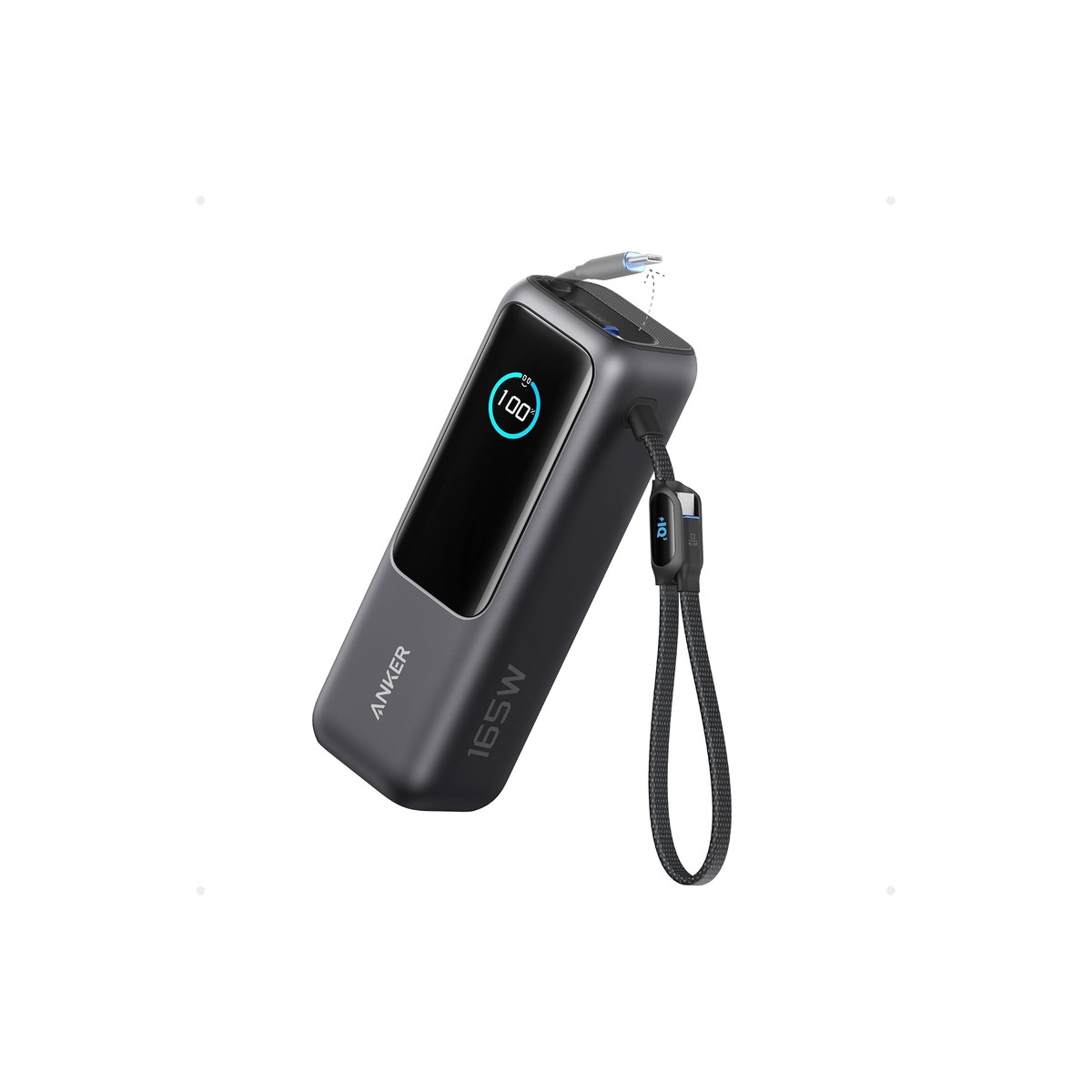
Anker Laptop Power Bank (25,000mAh, 165W)
92 watt-hours, 165 watts, built-in cables, and a screen showing the charge left.
Who it's for: the van, RV, or boat worker who wants one bank that charges the laptop fast, carries the cables so nothing gets left behind, and tells them honestly how much charge is left before the next shore-power stop. The do-it-all pick for someone who lives off the bank rather than the wall, and would rather buy once than juggle a charger, a loose cable, and a guess about the battery level.
What we found: this is the bank that takes the thinking out of off-grid power. The 25,000mAh cell is about 92 watt-hours, roughly one full laptop charge plus a phone top-up or two, and the 165W output (100W from a single port) charges any mainstream laptop at full speed. The two built-in cables, one of them retractable, mean you are not hunting for a USB-C cord in a drawer that is moving, and the screen shows the exact charge left and the watts flowing in or out, so you are not guessing from four LED dots. At 4.5 stars across more than 9,800 reviews it is the most-proven pick here.
Bottom line: if you buy one laptop bank for working off-grid, buy this one. The built-in cables and the real charge display are what make it the bank you stop thinking about, and 165W charges anything you plug in. Pay less with the UGREEN if you do not need the display; go bigger with the INIU if you want the most watt-hours.
- + 25,000mAh, about 92Wh, enough for a full laptop charge plus a phone or two
- + 165W total and 100W from one port, fast enough for almost any laptop
- + Two built-in cables, one retractable, so there is no cord to forget in the rig
- + A display shows the charge left and the watts flowing, no guessing at a percentage
- × At $120 it is one of the priciest banks here
- × Heavier than a slim 20,000mAh bank, you feel it in a daypack
- × Single port tops out at 100W (165W is the all-ports total), so a 140W laptop charges a bit slower than from its own brick
Runner-up: UGREEN Nexode 25,000mAh 165W.
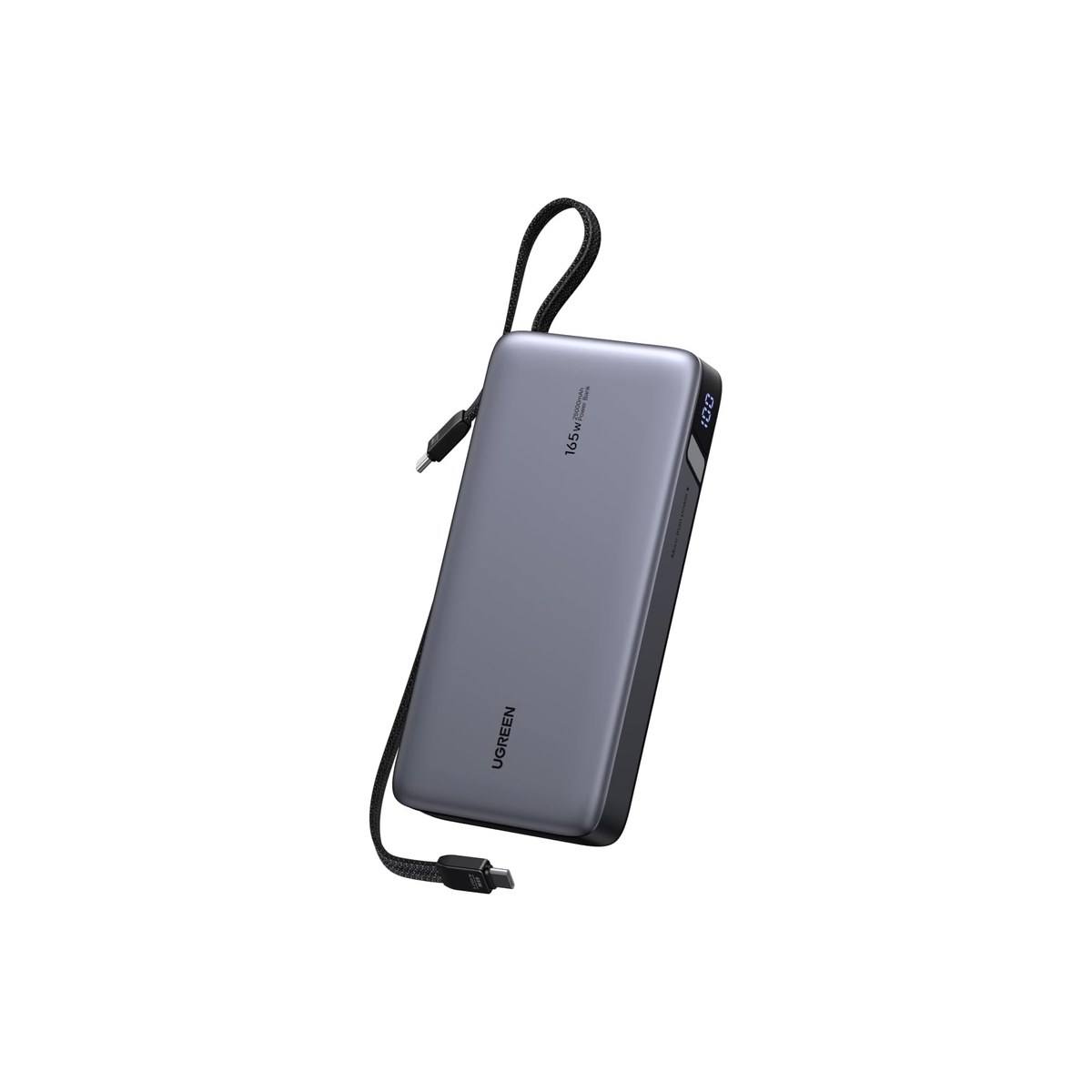
UGREEN Nexode 25,000mAh 165W
The top pick's 92Wh and 165W, with built-in cables, for $40 less.
Who it's for: the buyer who wants the top pick's capacity and charging speed but would rather keep the $40 than pay for the charge-percentage screen. The value play for someone comfortable reading the level off LED dots: if you have used a power bank before and never missed an exact percentage, this is the same capability for less, and the savings buy a tank of fuel or a campground night instead.
What we found: on the numbers that matter the UGREEN matches the Anker, 25,000mAh (about 92Wh) and 165W of output, with two built-in cables so a cord is never the thing you forgot, and it does it for roughly $40 less. PD 3.1 means it charges a demanding laptop at full speed, not a trickle. The two real gaps versus the top pick are the display (you get four LED dots instead of an exact percentage and wattage readout) and the review history, which is a few hundred rather than thousands, because this is a newer listing. The capacity and the charging are not the compromise; the readout and the track record are.
Bottom line: the better buy if you want the top pick's watt-hours and wattage without paying for the screen, and you are fine with a shorter review history. For most off-grid workers who just want capacity and speed at a fair price, this is the smart-money pick. Step up to the Anker for the charge display and the deeper track record; go bigger with the INIU for more watt-hours and the airline-max capacity.
- + 25,000mAh, about 92Wh, and 165W, matching the top pick's core numbers
- + Two built-in cables, so you are not carrying a separate cord
- + About $40 cheaper than the Anker for the same capacity and output
- + PD 3.1 charges high-draw laptops at full speed
- × A newer listing with a few hundred reviews, not the Anker's thousands
- × No charge-percentage display, just LED dots to read the level
- × Heavier and bulkier, as any 25,000mAh bank is
Budget pick: INIU Flight-Safe (27,000mAh, 140W).
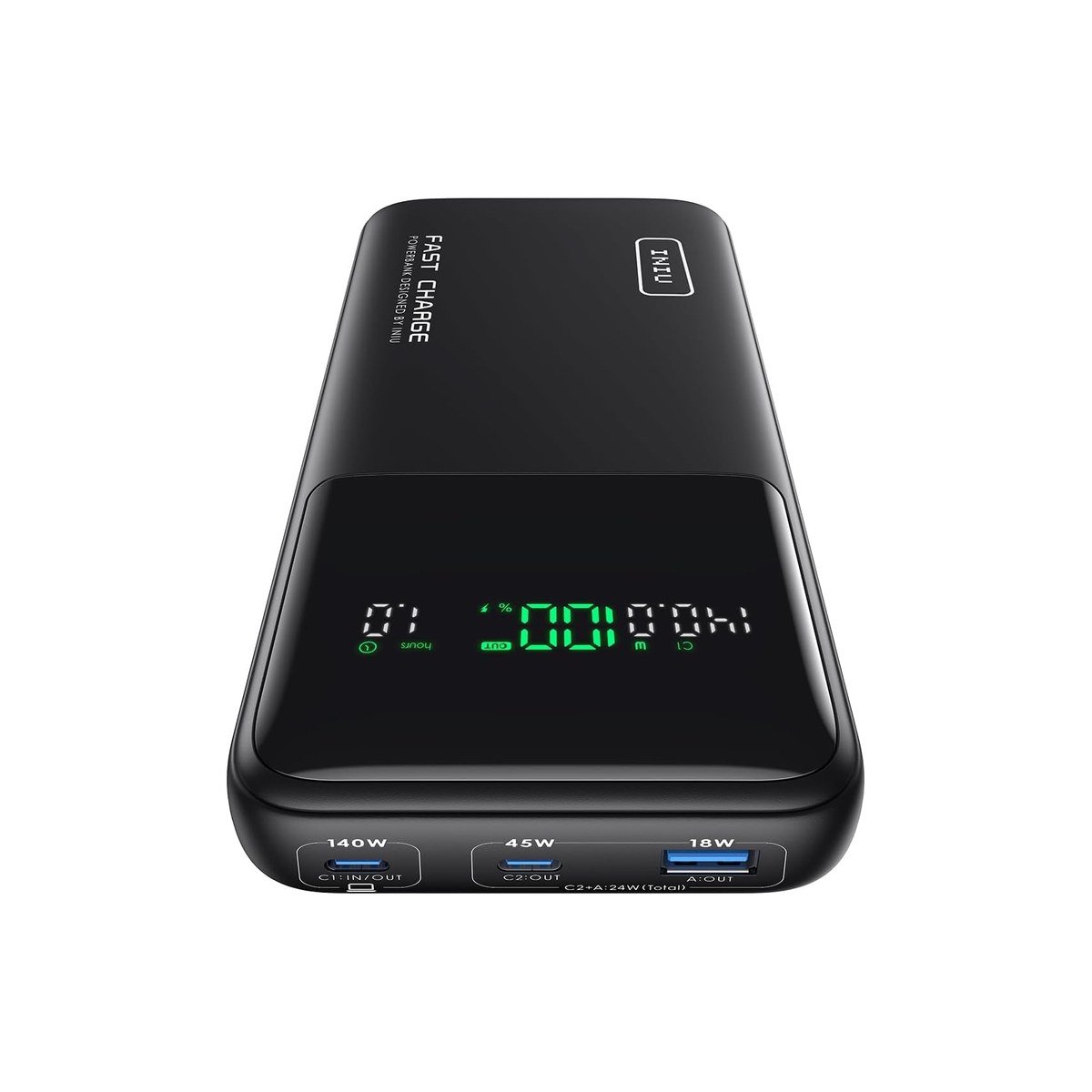
INIU Flight-Safe (27,000mAh, 140W)
The most you can fly with without airline sign-off, 99.9Wh, for the least.
Who it's for: the nomad who flies and the boondocker who wants the longest runtime per dollar. This is the most watt-hours you can legally bring on a plane, in the cheapest body, and that combination is exactly what a traveling worker needs, whether the next stop is a campground in a dead zone or a red-eye where the seat-back USB port barely trickles.
What we found: the INIU is built around the airline rule. Its 27,000mAh cell is about 99.9 watt-hours, deliberately a hair under the 100Wh carry-on ceiling, so it is the most charge you can fly with without asking the airline, and it costs less than the smaller-capacity brand banks. The 140W output charges all but the most power-hungry laptops at full speed, and at 4.4 stars across more than 2,700 reviews it has the deepest track record of the value tier. The honest catch is the same thing that makes it good: at 99.9Wh you are at the legal ceiling, so this is as big as a fly-with-it bank gets, and like the others its capacity makes it heavy.
Bottom line: the best value here and the one to buy if you fly, because it is the most watt-hours you can legally carry on for the least money. If you never fly and want a charge display or built-in cables, the Anker or UGREEN are nicer to live with; if you only need a slim top-up, the Baseus is cheaper still.
- + 27,000mAh, about 99.9Wh, the most capacity you can carry on a plane without airline approval
- + 140W output handles all but the most demanding laptops
- + The cheapest path to the most watt-hours, at $68
- + 2,700 reviews at 4.4 stars, the deepest track record in the value tier
- × At 99.9Wh it sits right at the airline ceiling: fine to carry on, but you cannot go bigger and still fly
- × Heavier and bulkier than a 20,000mAh bank
- × No charge-percentage display
Also worth considering.
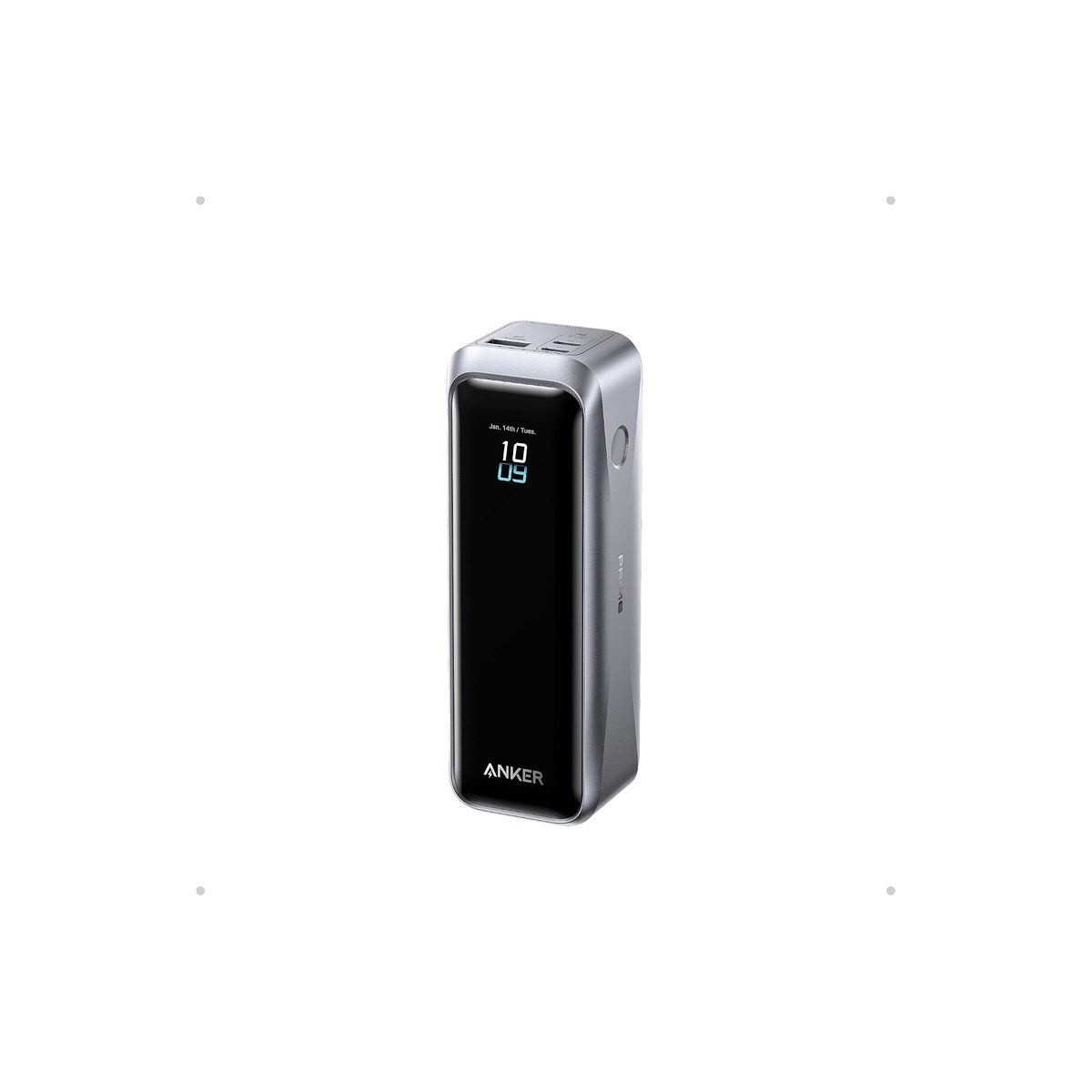
Anker Prime (20,100mAh, 220W)
The premium pick: 220W for the most demanding laptops and the fastest recharge, TSA-approved.
Who it's for: the worker running a power-hungry 16-inch laptop or a workstation who wants the fastest charge and the fastest recharge, and will pay for it.
What we found: the Anker Prime is the premium of the group, 4.7 stars across about 460 reviews, with 220W of output across three ports, app control, and a two-way design that also recharges itself fast. The catch for this audience is that it is overkill: at 20,100mAh (about 74Wh) it actually holds less than the cheaper 25K and 27K picks, so you are paying $150 for raw wattage and polish, not capacity. It is TSA-approved and well under the airline limit.
Bottom line: worth it only if you genuinely run a laptop that pulls more than 100W, or you value the fastest recharge between stops. For most off-grid workers the top pick holds more charge for less; the Prime is the enthusiast's choice.
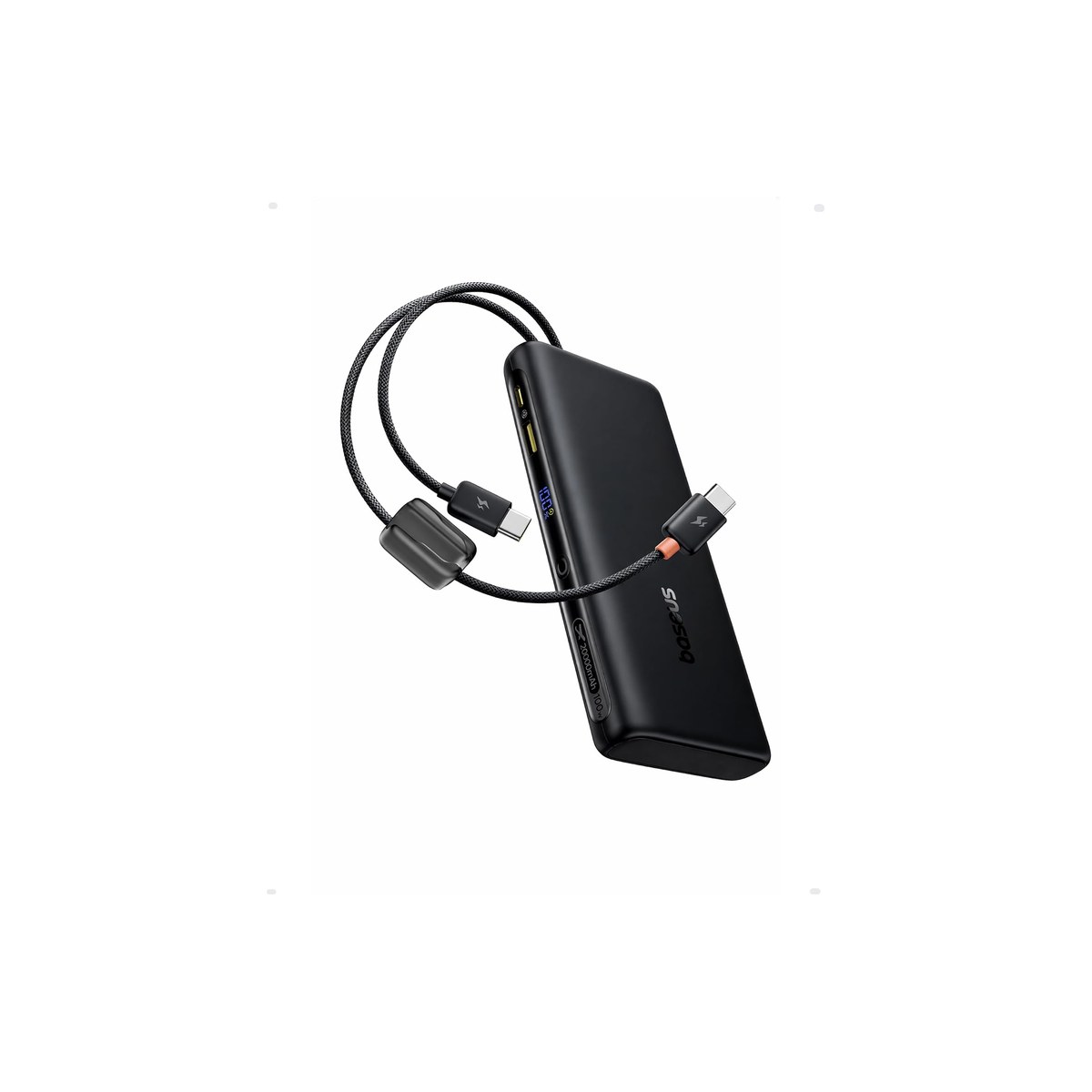
Baseus 100W (20,000mAh)
The cheapest and slimmest, $56 with a built-in cable, a newer listing still building reviews.
Who it's for: the buyer who wants the lightest, cheapest USB-C bank that still charges a laptop, and does not need the most capacity.
What we found: at $56 the Baseus is the cheapest and slimmest pick, a 20,000mAh (about 74Wh) bank with 100W output and a built-in cable, which is plenty for a MacBook Air or a mainstream ultrabook and easy to slide into a bag. The honest caution is the review history: this is a newer listing with under a hundred reviews so far (4.5 stars), so it does not have the proven track record of the Anker or INIU. It is buyable and well-rated, just less battle-tested.
Bottom line: the pick if price and slimness beat capacity and track record for you, especially for a lighter laptop. If you want a deeper review history at a similar price, the INIU value pick is the safer call; if you want more charge, step up to a 25K bank.
Skip this guide if...
Your work never strays far from an outlet. If you mostly work plugged in at a dinette with shore power, a power bank is dead weight, and your laptop's own battery plus a wall charger covers the gaps. A laptop power bank earns its place when you work away from power for hours, when the rig's house bank is rationed, or when you fly and want a charge in your bag.
Don't bother with.
- × Skip Phone power banks sold as 'fast charging' for a laptopA 10,000mAh phone bank at 18 to 22 watts trickles a laptop slowly or not at all under load, and it does not hold enough watt-hours to matter. For a laptop you want a USB-C PD bank rated at your laptop's charger wattage (65W and up) with 20,000mAh or more, not a phone bank with a USB-C port.
- × Skip Chasing the biggest mAh number on the boxmAh is marketing; watt-hours (mAh times 3.7, divided by 1,000) is the real capacity, and anything over about 27,000mAh / 100Wh you cannot fly with. A '50,000mAh' bank is heavy, often cannot board a plane, and the number that actually tells you how long it lasts is the watt-hours, not the headline.
- × Skip A power bank when what you need is a power stationIf you need to run a monitor for hours, charge several devices all day, or power an AC appliance, a USB-C bank is the wrong tool, that is a portable power station (we cover those in the Road cluster). The bank tops off a laptop; the station runs a desk and recharges the bank. Match the tool to the load instead of buying the biggest bank.
How we picked.
How we picked, and why we don't claim to test
We don't run a lab. We read the owner-review signal across Amazon and the manufacturer spec sheets, weighted for the off-grid worker rather than the desk user, and ranked five banks by the three things that decide whether one keeps you working away from an outlet: watt-hours per dollar, charging wattage versus what a real laptop pulls, and how the bank recharges from a rig's 12V or solar. We also did the watt-hour math on every pick so the headline mAh number on the box could not do the talking.
The two numbers that matter: watt-hours and watts
Capacity is watt-hours, not mAh. Convert it: watt-hours equals mAh times 3.7, divided by 1,000. So a 25,000mAh bank is about 92Wh, a 27,000mAh bank about 99.9Wh, and a 20,000mAh bank about 74Wh, which is roughly one laptop charge for the small ones and a charge plus a phone or two for the big ones. The mAh on the box is the cell rating; the watt-hours are what you actually get.
Output wattage is the other number. Check your laptop's wall charger: that is the wattage your bank needs to match. A 65W bank charges a MacBook Air or an ultrabook; 100W covers a 14 to 16-inch MacBook Pro and most heavier laptops; 140W and up is for the most demanding. A bank rated below your laptop's draw charges slowly, or not at all while you are working it hard. And the 100Wh figure is also the airline carry-on ceiling, so anything you fly with has to come in under it, which is why the biggest sensible bank is around 27,000mAh.
Off-grid, the last question is how the bank refills. A USB-C PD bank recharges from a wall charger, a 12V car or USB-C adapter, or a portable power station, so the off-grid loop is topping the bank back up from the rig's solar or house bank between work sessions. The better banks support passthrough, charging your laptop while they themselves recharge.
What our scores mean, and a note on the picks
Our scores reflect how consistent the owner signal is, weighted for off-grid use, not lab measurements. Two of the five are Anker because Anker and INIU genuinely dominate the deep-reviewed laptop-bank field; the two Anker picks serve clearly different roles (the do-it-all top pick versus the premium high-wattage Prime), and we name the cheaper or bigger alternative on every pick so brand is never the reason to buy. In fact the UGREEN runner-up is the better watt-hours-per-dollar buy, matching the top pick's 92Wh and 165W and rating a touch higher for $40 less; we still lead with the Anker for its charge-percentage display, genuinely useful when you are rationing an off-grid power budget, and its far deeper review base, not for more capacity. The Baseus carries the fewest reviews because it is a newer listing, which we flag rather than hide. The honest summary: capacity is watt-hours, charging is watts, and once both clear your laptop's needs the picks are close, so match one to whether you fly, how long you go off-grid, and whether you want a charge display.
FAQs.
Q01 Can a power bank actually charge a laptop?
+
Q02 How many watt-hours or mAh do I need to charge my laptop?
+
Q03 How many watts does my power bank need to charge my laptop?
+
Q04 Can I bring a laptop power bank on a plane?
+
Q05 How do I recharge a power bank off-grid in a van or on a boat?
+
Q06 Power bank or portable power station for an RV or van?
+
Q07 Will a power bank charge my MacBook Pro or a 16-inch laptop?
+
Q08 Why is my power bank charging my laptop so slowly?
+
Q09 What is passthrough charging and do I need it?
+
Q10 How long will a power bank run my laptop?
+
If you, then this.
- IF you want one do-it-all bank with built-in cables and a charge displayGET Anker Laptop Power Bank 165W$120 →
- IF you want the same capacity and output for less, and don't need the displayGET UGREEN Nexode 25K 165W$80 →
- IF you fly, or you want the most watt-hours per dollarGET INIU Flight-Safe 27K 140W$68 →
- IF you run a 140W-plus laptop or want the fastest rechargeGET Anker Prime 220W$150 →
- IF you want the cheapest, slimmest bank for a lighter laptopGET Baseus 100W 20K$56 →
Work-from-Anywhere Gear: The Complete Guide
The whole mobile-office picture →Every system in a work-from-anywhere setup, organized in one place, with the foundation every remote worker needs and the one guide we trust for each.
- USB Power Delivery · USB Implementers Forum
- Pack Safe: Batteries and electronic devices (carry-on lithium limits) · U.S. FAA