Best Portable Power Stations: The 5 We'd Buy in 2026
A portable power station earns its place in a van or truck bed by one number almost no product page leads with: how many hours it runs your gear, not how many watt-hours it stores. For remote work that means a laptop, a monitor, Starlink, and a 12V fridge running together, around a 185-watt draw, all day, then recharging before the next morning. We cross-read tested reviews from CNET, NYT Wirecutter, and TechRadar against the spec sheets from Jackery, EcoFlow, Anker, and BLUETTI, and weighed lithium cycle-life data. The load-bearing finding: chemistry decides whether a station survives daily use. LiFePO4 cells last roughly 3,000 to 4,000 cycles versus 500 to 2,000 for NMC depending on generation, still short of LiFePO4, which is why one popular large NMC model did not make the list. Our 1,070-watt-hour top pick runs the 185-watt work load about five hours per charge.
- 01 Jackery Explorer 1000 v2 , top pick for off-grid work, 1,070Wh of LiFePO4 at $449
- 02 Anker SOLIX C1000 , best value, fastest recharge and six outlets at $450
- 03 Jackery Explorer 300 , compact pick for a laptop and phone at $229
- 04 BLUETTI AC200L , best large unit and solar generator at $799
- 05 EcoFlow Delta Pro , expandable base-camp tier at $1,699
How they compare.
| Rank | Product | Best for | Price | Our score |
|---|---|---|---|---|
| 01 | Jackery Explorer 1000 v2
Top Pick
| Off-grid work, all-day laptop rig | $449
Buy → | 9.2/10 |
| 02 | Anker SOLIX C1000 | Best value, fastest recharge | $450
Buy → | 9.0/10 |
| 03 | Jackery Explorer 300 | Compact laptop and phone topper | $229
Buy → | 8.6/10 |
| 04 | BLUETTI AC200L | Solar-first, large capacity | $799
Buy → | 8.5/10 |
| 05 | EcoFlow Delta Pro | Expandable whole-rig power | $1,699
Buy → | 8.4/10 |
Prices are current Amazon prices at time of publication and can change. Scores reflect our editorial evaluation, not vendor input.
Our #1 pick: Jackery Explorer 1000 v2 (1,070Wh LiFePO4, 1,500W, ASIN B0D7PPG25F).
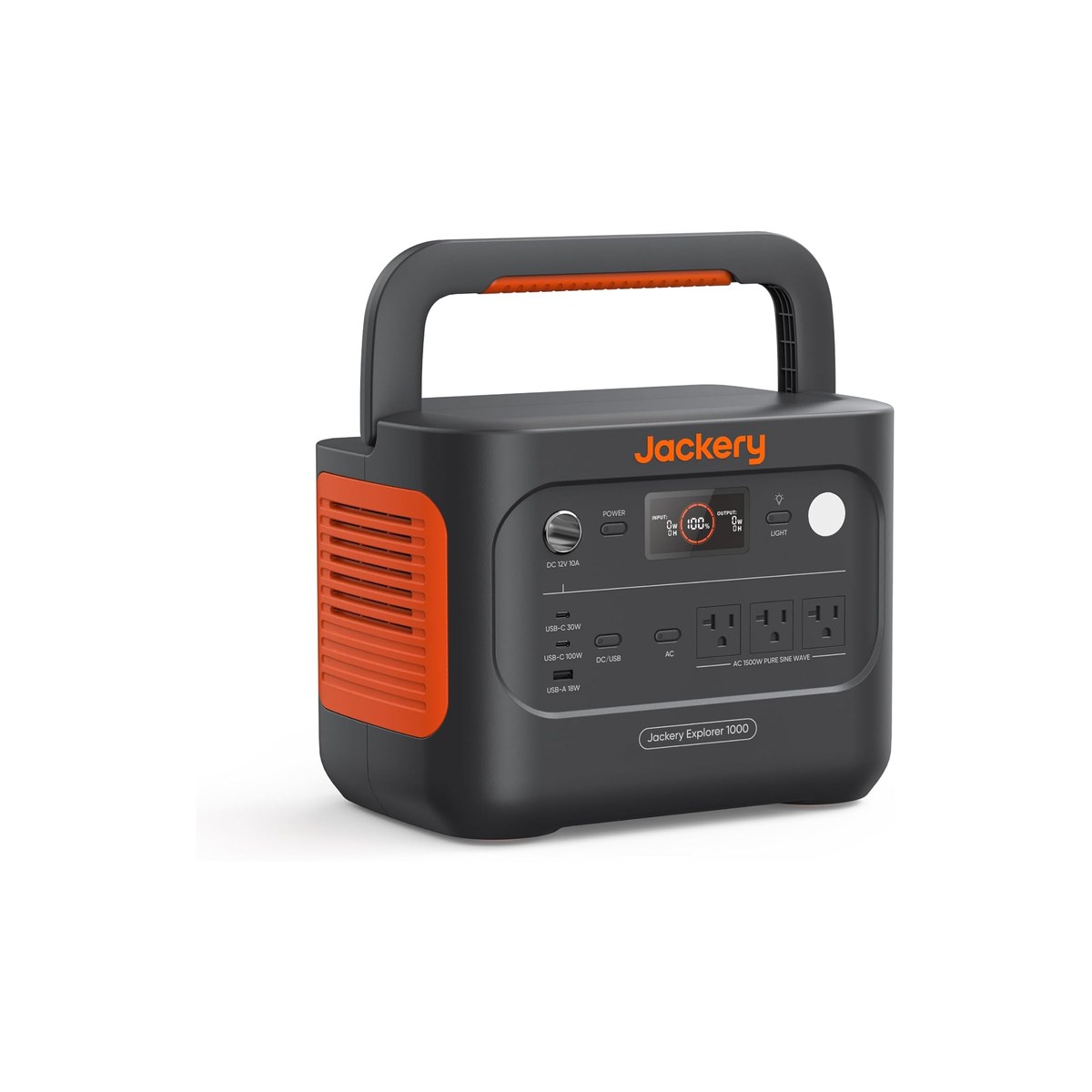
Jackery Explorer 1000 v2 (1,070Wh LiFePO4, 1,500W, ASIN B0D7PPG25F)
The lightest all-day work station, and it recharges in about an hour.
Who it's for: This is the default pick for one person working off-grid. A laptop, an external monitor, Starlink, and a small 12V fridge pull roughly 185 watts together, and the 1,070Wh pack carries that for about five usable hours before it needs sun or a wall. For most remote workers that covers a full focused block, and an hour on shore power or a few hours of midday sun resets it for tomorrow.
What we found: Jackery moved this generation to LiFePO4 cells rated near 4,000 charge cycles, the chemistry that matters for daily use, and kept the unit to 24 pounds, the lightest in the 1kWh class. TechRadar ran an earlier sibling through a live power cut driving a 3D printer with no interruption, which tracks with the roughly 20-millisecond UPS switchover Jackery quotes. The 100W USB-C port is the detail that earns its keep: it charges a work laptop directly, so the inverter only wakes for the monitor and fridge. Jackery also sells the unit as a solar generator: the Jackery Solar Generator 1000 v2 bundle pairs it with a folding panel for buyers who want both in one box.
Bottom line: Nothing here is the biggest number on the page, and that is the point. The Explorer 1000 v2 is the unit whose weight, recharge speed, and run-time all land in the right place for a working day on the road. If you expect to add a second monitor or go longer between charges, step up to the BLUETTI AC200L below; if you mostly need a laptop topped up, drop to the Explorer 300.
- + 1,070Wh of LiFePO4 rated near 4,000 cycles, so daily charging will not wear it out for years
- + 24 pounds, the lightest of the 1kWh class, which matters every time it moves between van, cabin, and truck
- + Emergency mode refills the pack in about an hour from a wall outlet; standard mode runs around 1.7 hours
- + 100W USB-C charges a work laptop at full speed without waking the AC inverter
- × Solar input caps at 400W, slower off panels than the Anker or the BLUETTI
- × No expansion battery, so 1,070Wh is the ceiling
- × The one-hour emergency charge runs the fan harder and is best saved for when you actually need it
Prices were accurate when we last checked and change often. The eBay figure is the lowest new listing we found, and its search can include newer or older models. We may earn a commission from these links, at no extra cost to you.
Runner-up: Anker SOLIX C1000 (1,056Wh LiFePO4, 1,800W, ASIN B0C5C89QKZ).
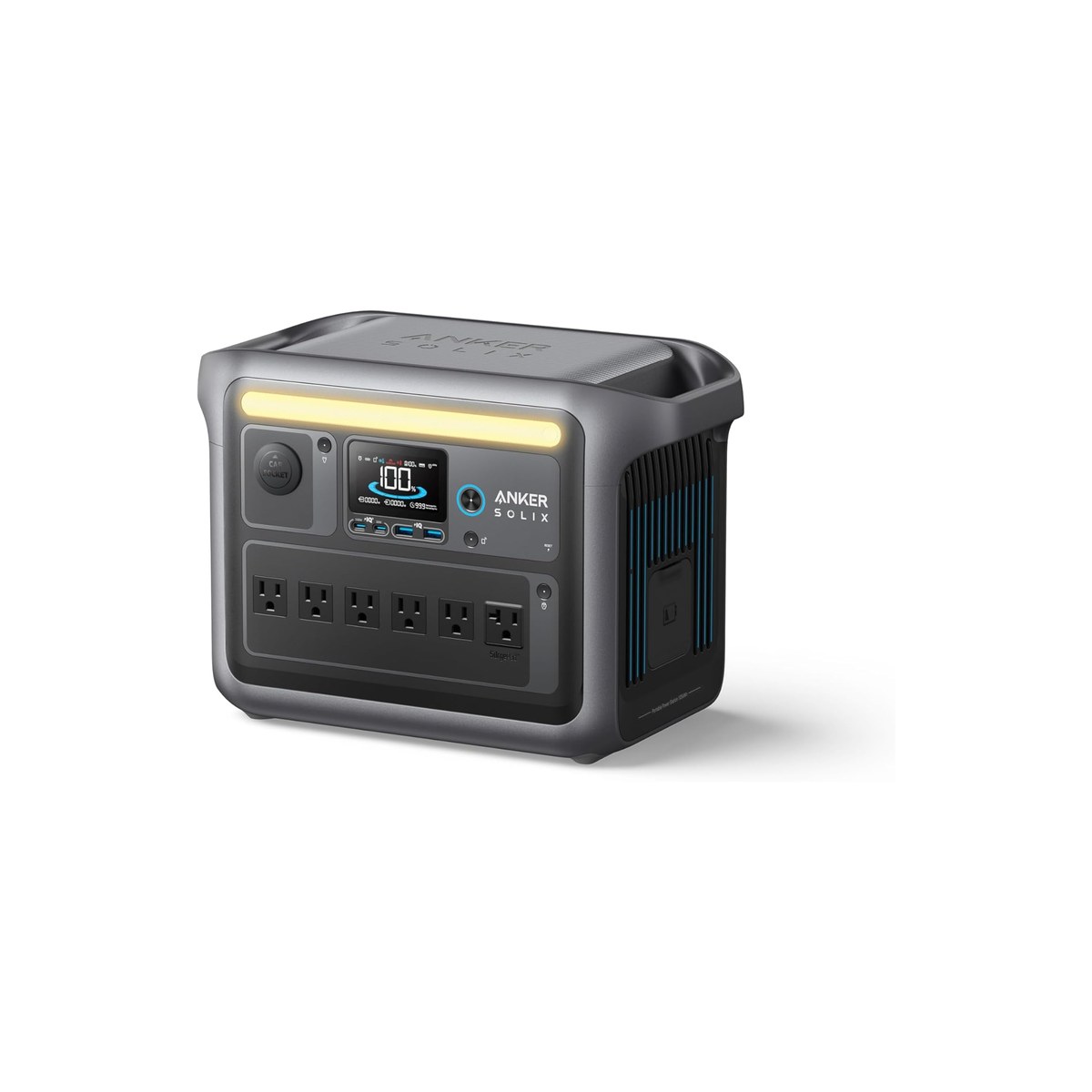
Anker SOLIX C1000 (1,056Wh LiFePO4, 1,800W, ASIN B0C5C89QKZ)
The best dollar-per-watt-hour, with the fastest solar in its class.
Who it's for: The C1000 is the value answer to the same question the Jackery answers. It holds 1,056Wh of LiFePO4, almost identical capacity, for around the same money or less on sale, and it spends that budget on recharge speed and outlets rather than shaving weight. If your station lives in a van and rarely gets carried far, the extra few pounds cost you nothing.
What we found: Anker quotes a sub-10-millisecond UPS switchover, and TechRadar and MacRumors both ran the C1000 as a desktop workstation backup through repeated power cuts without a reboot, the clearest safe-for-a-PC signal in this lineup. The 600W solar ceiling is the other standout: it refills from panels in under two hours of strong sun, where the Jackery needs roughly twice as long. OutdoorGearLab measured around 20 hours of runtime at a light 40-watt load, consistent with the five-ish hours our heavier work load gets.
Bottom line: If you are choosing on value and charging speed and do not need the lightest box, the C1000 is the smarter buy. The main fork is the newer Gen 2, which trims weight and adds output for about $50 more; if it is in stock near the original's price, take it, otherwise the original is the better deal.
- + Recharges in about 58 minutes from the wall, among the fastest at this capacity
- + 600W of solar input refills it in under two hours of good sun, well ahead of the Jackery
- + Six AC outlets plus a 100W USB-C, more places to plug in than any other 1kWh pick here
- + Reviewers ran it as a desktop UPS through repeated outages, so it is safe for a work PC
- × 28 pounds, the heaviest of the three 1kWh units
- × The UltraFast recharge mode is audible while it runs
- × A lighter, faster C1000 Gen 2 exists near $500, so check which one is in stock at the better price
Prices were accurate when we last checked and change often. The eBay figure is the lowest new listing we found, and its search can include newer or older models. We may earn a commission from these links, at no extra cost to you.
Budget pick: Jackery Explorer 300 (292Wh LiFePO4, 300W, ASIN B082TMBYR6).
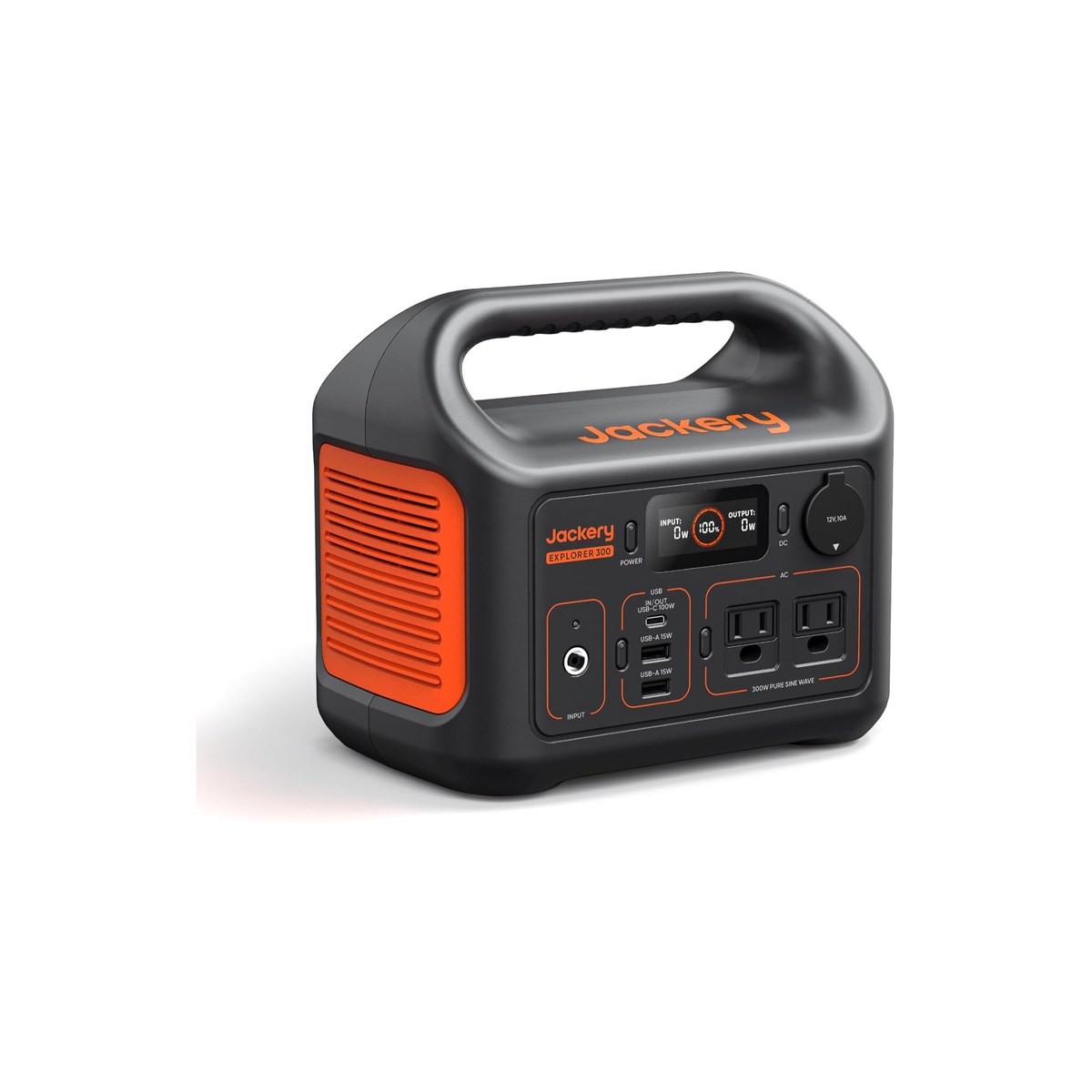
Jackery Explorer 300 (292Wh LiFePO4, 300W, ASIN B082TMBYR6)
The 7.5-pound topper that keeps a laptop and phone alive off-grid.
Who it's for: This is the topper, not the all-day runner. A 292Wh pack carries a laptop for roughly four hours on its own, or a phone and a couple of small devices for a long weekend, which is exactly what a lot of remote workers actually need when the truck or the cafe is the real office and the station is just insurance.
What we found: The detail that earns this pick a slot is the chemistry. At $229 the current revision ships LiFePO4 cells (Jackery's original Explorer 300 used standard lithium-ion; the unit sold under this listing now moved to lithium iron phosphate), where most sub-$250 stations still use older cells that fade faster, so this one tolerates being topped up over and over for years. The trade-off is the 300-watt inverter and 100-watt solar cap; it is built to keep small electronics alive, not to power a kitchen. The USB-C port handles an ultrabook comfortably and a larger laptop more slowly.
Bottom line: If your power need is a laptop and a phone rather than a fridge and a monitor, the Explorer 300 is the honest amount of battery to buy, and it is light enough that it comes with you instead of living in a closet. The moment you want to run a fridge overnight, skip up to the 1kWh top pick.
- + 292Wh of LiFePO4 in a 7.5-pound box, the lightest and cheapest pick here
- + A USB-C PD port plus two USB-A and an AC outlet cover a basic work-from-anywhere kit
- + LiFePO4 chemistry at this price is rare; most sub-$250 units still ship older cells
- + Small enough to live in a daypack, so it actually comes with you
- × The 300W inverter will not run a mini-fridge and laptop at the same time
- × Solar input caps at 100W, so panel refills are slow
- × USB-C tops out below the larger Jackery's 100W, fine for an ultrabook, tight for a 16-inch laptop
Prices were accurate when we last checked and change often. The eBay figure is the lowest new listing we found, and its search can include newer or older models. We may earn a commission from these links, at no extra cost to you.
Also worth considering.
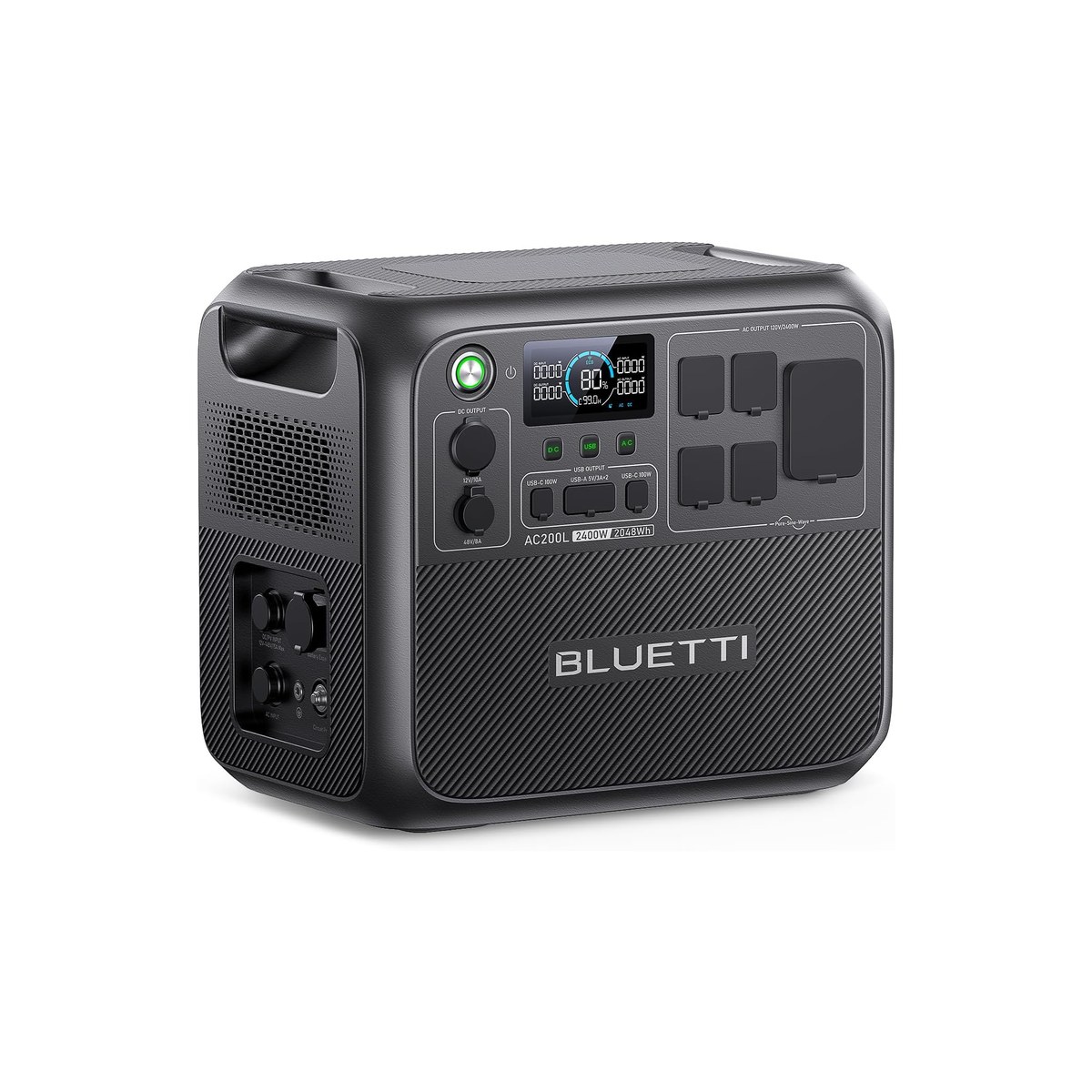
BLUETTI AC200L (2,048Wh LiFePO4, 2,400W, ASIN B0CLGZB3L6)
The solar-first 2kWh unit that refills in a single sunny day.
Who it's for: When one workday of runtime is not enough and you are charging mostly from solar, the AC200L is the step up. Its 2,048Wh pack carries the 185-watt work load for roughly nine hours, a full day plus the evening, and its 2,400-watt inverter handles a microwave or a power tool that the 1kWh units cannot.
What we found: Two specs separate it from the EcoFlow Delta 2 Max it competes with. It accepts up to 1,200 watts of solar, enough to refill the whole pack in one strong sun-day, and it expands past 8,000Wh with add-on batteries. There is also a panel-bundle version sold as the Solar Generator AC200L for buyers who want the matching 200-watt panel in the box. One reviewer measured a 13-millisecond UPS switchover and ran a desktop workstation through six simulated outages, though BLUETTI notes sensitive gear can briefly flicker on changeover.
Bottom line: This is the pick if your power lives off solar and you want headroom to grow. At about 62 pounds it is a two-handed lift that stays in the van rather than moving around, which is the honest trade for double the capacity. If you do not need 2kWh or solar-first charging, the lighter top pick is the better buy.
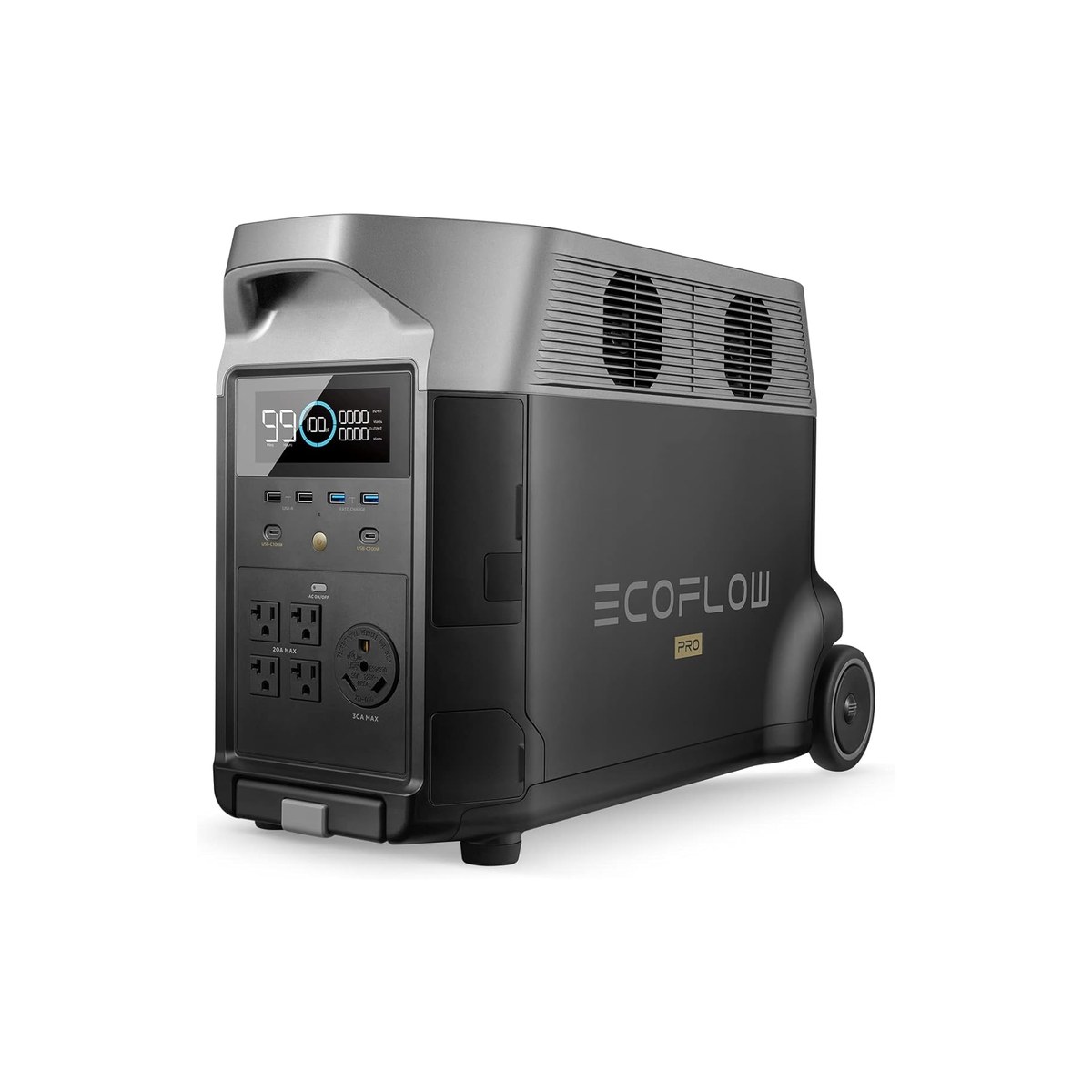
EcoFlow Delta Pro (3,600Wh LiFePO4, 3,600W, ASIN B0C1Z4GLKS)
The expandable base-camp tier for a whole off-grid rig.
Who it's for: This is the most station most remote workers will ever need, and more than most should buy. A 3,600Wh LiFePO4 pack carries the 185-watt work load for roughly sixteen hours, so a single charge spans days of normal use, and it scales past 10,000Wh with extra batteries for a full off-grid home or van.
What we found: The reason it earns the top-of-the-range slot over the obvious alternative is chemistry. EcoFlow uses LiFePO4 rated near 3,500 cycles, while a popular same-size competitor still ships NMC cells rated around 2,000 cycles, short of LiFePO4's 3,000 to 4,000, so a daily user wears it down sooner. The Delta Pro also takes 1,600 watts of solar, runs a 10-millisecond UPS that EcoFlow markets for servers, and rolls on wheels with a telescoping handle because at 99 pounds you are not carrying it.
Bottom line: Buy this when the power station is the heart of the rig, not a backup for a laptop. For a single work setup it is overkill, and the top pick does that job for a third of the weight and price. The step-up Delta Pro 3, at 4,096Wh and expandable to 48kWh, exists if you are wiring a whole van or cabin.
Skip this guide if...
You might not need a portable power station at all. If you only ever work where there is a wall outlet, a good surge protector and a laptop power bank cover you for far less money and weight. If your draw is just a phone and a tablet on day trips, a 25,000mAh USB power bank does the job for under $50 and fits a jacket pocket. And if you are wiring a van or cabin permanently, a dedicated house battery, charger, and inverter installed to spec is a better lasting system than a portable box you keep plugging and unplugging, though plenty of people run both.
Don't bother with.
- × Skip No-name solar generator bundles under $150 with vague watt-hour claimsThese almost always overstate capacity and ship older lithium or lead cells that fade within a year, and the listed watt-hours rarely survive a real load test. Spend the same money on the Jackery Explorer 300's verified 292Wh of LiFePO4.
- × Skip Jackery Explorer 3000 Pro (NMC) at its usual high priceIt is a capable unit, but it still uses NMC cells rated around 2,000 cycles, short of the 3,000 to 4,000 of a LiFePO4 unit like the EcoFlow Delta Pro at a similar size. For a daily-use remote worker that is real life left on the table.
- × Skip Gas inverter generators for indoor or enclosed-van workThey are cheaper per watt-hour, but you cannot run one inside a van, a tent, or a cabin without a carbon-monoxide risk, and the noise ends any video call. For powering a work setup where you sleep, a battery station is the right tool.
How we picked.
How we picked: hours of run-time, not headline watt-hours
Every product page leads with a watt-hour number, but watt-hours only matter once you divide them by your actual draw. We built the lineup around a single reference load that matches remote work off-grid: a laptop at about 60 watts, an external monitor at 30, Starlink at 50 to 75, and a 12V fridge averaging 45, which lands near 185 watts running together. Usable capacity is roughly 85 percent of the rated watt-hours after inverter and conversion losses, so a 1,000Wh station gives about five hours on that load.
From there we weighed the things that decide whether a station fits a moving life: weight, wall and solar recharge speed, outlet count, and whether the unit is safe to run a computer through. We cross-read tested reviews from CNET, NYT Wirecutter, TechRadar, ZDNet, and OutdoorGearLab against manufacturer spec sheets, and treated measured numbers as the tiebreaker over marketing claims.
Power station vs solar generator: the same box, two names
Shoppers search both portable power station and solar generator, and for these products they mean the same thing: a battery in a box with an inverter and outlets. The phrase solar generator usually just means that same unit bundled with a solar panel, or marketed toward off-grid and emergency buyers. There is no separate technology to chase. Every pick here charges from a wall, a car, or solar, and several sell in a panel-bundle version if you want the matching panel in one purchase.
The practical upshot: do not pay extra for the word solar. Buy the station whose capacity and recharge speed fit your load, then add panels sized to how fast you need it to refill, which we cover below.
What size power station do I need to work off-grid?
Start from your daily watt-hours, not the headline number. Add up each device's wattage, multiply by the hours you run it, then add about 15 percent for losses. A laptop-and-phone day is often under 300Wh, which the Explorer 300 covers. A full work setup with a monitor, Starlink, and a fridge runs closer to 1,500 to 2,000Wh across a day, which is the 1kWh-to-2kWh range of the top pick and the AC200L. Multi-day off-grid use without strong solar pushes you toward the 3,600Wh Delta Pro.
The second number is continuous wattage: the station has to deliver the peak your devices pull at once. A work setup rarely exceeds 200 watts, so every pick here clears it easily, but if you want to run a microwave, a kettle, or power tools, you need the 2,400-watt AC200L or the 3,600-watt Delta Pro.
LiFePO4 vs NMC: the spec that decides daily-use lifespan
The single most important spec for someone who charges every day is the cell chemistry, and it is the one most roundups skip. LiFePO4, lithium iron phosphate, cells are rated for roughly 3,000 to 4,000 charge cycles before they drop to 80 percent capacity. The older NMC chemistry, common in early stations and still used in some larger models, is rated closer to 500 to 2,000 cycles depending on generation, still short of LiFePO4. For a remote worker cycling the pack daily, that is the difference between roughly a decade and roughly three years.
Every pick in this guide uses LiFePO4. That is also why a well-reviewed big-battery unit, the Jackery Explorer 3000 Pro, did not make the list: it remains NMC while its same-size competitors have moved to LiFePO4. The capacity looks identical on paper; the lifespan does not.
Running a laptop, monitor, and Starlink off-grid all day
The reference rig for this guide is a real remote-work setup: a laptop, an external monitor, a Starlink dish, and a small 12V fridge. Running together that is around 185 watts, and the standout point is that a good portable power station handles it without drama, including the brief surge when the fridge compressor kicks in. Starlink is the quiet power hog of the group, drawing 50 to 75 watts on its own, more than the laptop in many cases, so it belongs in any honest run-time math.
A 1,000Wh station carries that load about five hours, a 2,000Wh unit about nine, and the 3,600Wh Delta Pro past sixteen. A useful habit is to charge a USB-C laptop directly from the station's USB-C port rather than through the AC inverter, which skips a conversion step and stretches the runtime; the top pick's 100-watt USB-C is sized for exactly that.
Is it safe to run a laptop or desktop through one?
Yes, with a caveat worth knowing. Most stations here support passthrough, meaning they power your gear while charging, and several act as an uninterruptible power supply that switches to battery in 10 to 20 milliseconds when shore power drops, fast enough that a laptop or desktop never notices. Reviewers ran the Anker C1000 and the BLUETTI AC200L as desktop workstation backups through repeated outages without a reboot, the clearest evidence that a sensitive PC is safe on them.
The caveat: a few units, and the smaller travel-class stations in general, are not marketed as true fast-UPS devices, so for a desktop you cannot afford to have blink, choose a model that explicitly quotes a UPS switchover time. All three of our larger picks do.
Adding solar: how fast each one refills from panels
Pairing a portable power station with solar panel input is what turns it from a battery you recharge at home into a system you can live on. The number that matters is the station's maximum solar input, because it caps how fast panels can refill the pack. The Explorer 300 takes only 100 watts, the top pick 400, the Anker 600, the AC200L a strong 1,200, and the Delta Pro 1,600. Higher input means a full refill in one good sun-day instead of two.
Match panel wattage to that ceiling and to your daily draw. A pair of 100-watt portable panels keeps a laptop-and-phone setup even, while a full work rig that drains 1,500Wh a day wants 400 watts of panel or more feeding a station that can accept it, which is where the AC200L and Delta Pro pull ahead.
RV, camping, a 12V fridge, and a CPAP: what each tier runs
Beyond the desk, the same tiers map cleanly to the other questions buyers ask. As a portable power station for RV and van life, the 1kWh top pick covers lights, a fridge, and device charging for a day, while the 2kWh AC200L adds a microwave and a longer runway between charges. For portable power station camping trips, the Explorer 300 keeps phones, a camera, and a fan going; the best portable power station for camping is usually the smallest one that still runs a 12V cooler overnight, which steps you up to the 1kWh class.
Two specific loads come up constantly. Used as a portable power station for refrigerator duty, a 1,000Wh unit runs a 12V fridge, which averages around 45 watts, for the better part of a day even with other gear attached. A CPAP machine without its heated humidifier draws roughly 30 to 60 watts, which means the top pick can run one for two or three nights on a charge, and even the Explorer 300 covers a single night, the reason the small unit is a common pick for camping with one.
FAQs.
Q01 What size portable power station do I need to work off-grid?
+
Q02 What can a portable power station actually run, and for how long?
+
Q03 Is a portable power station the same as a solar generator?
+
Q04 Can a portable power station run a 12V fridge or mini-fridge overnight?
+
Q05 Is it safe to run a laptop or desktop computer through one?
+
Q06 Why is the Jackery Explorer 1000 v2 the top pick over a bigger unit?
+
Q07 Why isn't the Jackery Explorer 3000 Pro on the list?
+
Q08 LiFePO4 or NMC, which battery chemistry should I buy?
+
Q09 How fast can these recharge from solar?
+
Q10 Can I leave it plugged in and use it at the same time?
+
If you, then this.
- IF You work off-grid and want the lightest all-day unitGET Jackery Explorer 1000 v2$449 →
- IF You want the best value and fastest recharge at 1kWhGET Anker SOLIX C1000$450 →
- IF You only need to keep a laptop and phone aliveGET Jackery Explorer 300$229 →
- IF You charge mostly from solar and want 2kWh with room to growGET BLUETTI AC200L$799 →
- IF You run a whole off-grid rig and want to expand laterGET EcoFlow Delta Pro$1,699 →
RV & Van Gear: The Complete Guide
The whole-rig picture →Every system in a van, RV, or camper, organized in one place, with the safety and weight floor and the one guide we trust for each.
- Best Portable Power Stations, tested · CNET
- The Best Portable Power Stations · NYT Wirecutter
- BU-205: Types of Lithium-ion (LiFePO4 vs NMC cycle life) · Battery University
- Jackery Explorer 1000 v2 specifications · Jackery