Best Laptop Cooling Pads: The 5 We'd Use in a Hot Van, RV, or Boat (2026)
Work from a van, RV, or boat in summer and the cabin turns into an oven: sun through the windows, no AC, little airflow. Put a laptop under a real load in that heat, editing video or on a long call, and it thermal-throttles or shuts off. A cooling pad blows air across the underside and lifts the laptop to a better angle, buying back some performance. The honest catch a gaming roundup skips: a pad can only cool toward the air around it, so in a 90-degree cabin it helps far less than in a cool room. We don't run a lab. We read the owner-review signal across Amazon and the maker specs for 2026, weighted for a hot, off-grid cabin, and ranked 5 by what matters here: heat moved, noise on a call, power draw, and pack size. Match the pad to your laptop's vents, and pick a quiet, low-draw one if calls and battery beat raw cooling.
- 01 KLIM Wind , top pick, 4-fan universal pad with USB pass-through, about $30
- 02 KLIM Cyclone , the quiet pick, 5 low-noise fans for working on calls
- 03 Havit HV-F2056 , best budget, slim and packable, the deepest review base
- 04 Llano V12 , max cooling for heavy editing, but loud and pricey
- 05 IETS GT202UB , vacuum cooler for MacBooks and side-vent laptops
How they compare.
| Rank | Product | Best for | Price | Our score |
|---|---|---|---|---|
| 01 | KLIM Wind
Top Pick
| Overall, fits any laptop | $30
Buy → | 8.8/10 |
| 02 | KLIM Cyclone | Quiet, for calls | $45
Buy → | 8.6/10 |
| 03 | Havit HV-F2056 | Budget, slim, packable | $28
Buy → | 8.6/10 |
| 04 | Llano V12 | Max cooling, loud | $96
Buy → | 8.3/10 |
| 05 | IETS GT202UB | MacBook / side-vent vacuum | $33
Buy → | 8.2/10 |
Prices are current Amazon prices at time of publication and can change. Scores reflect our editorial evaluation, not vendor input.
Our #1 pick: KLIM Wind Laptop Cooling Pad.
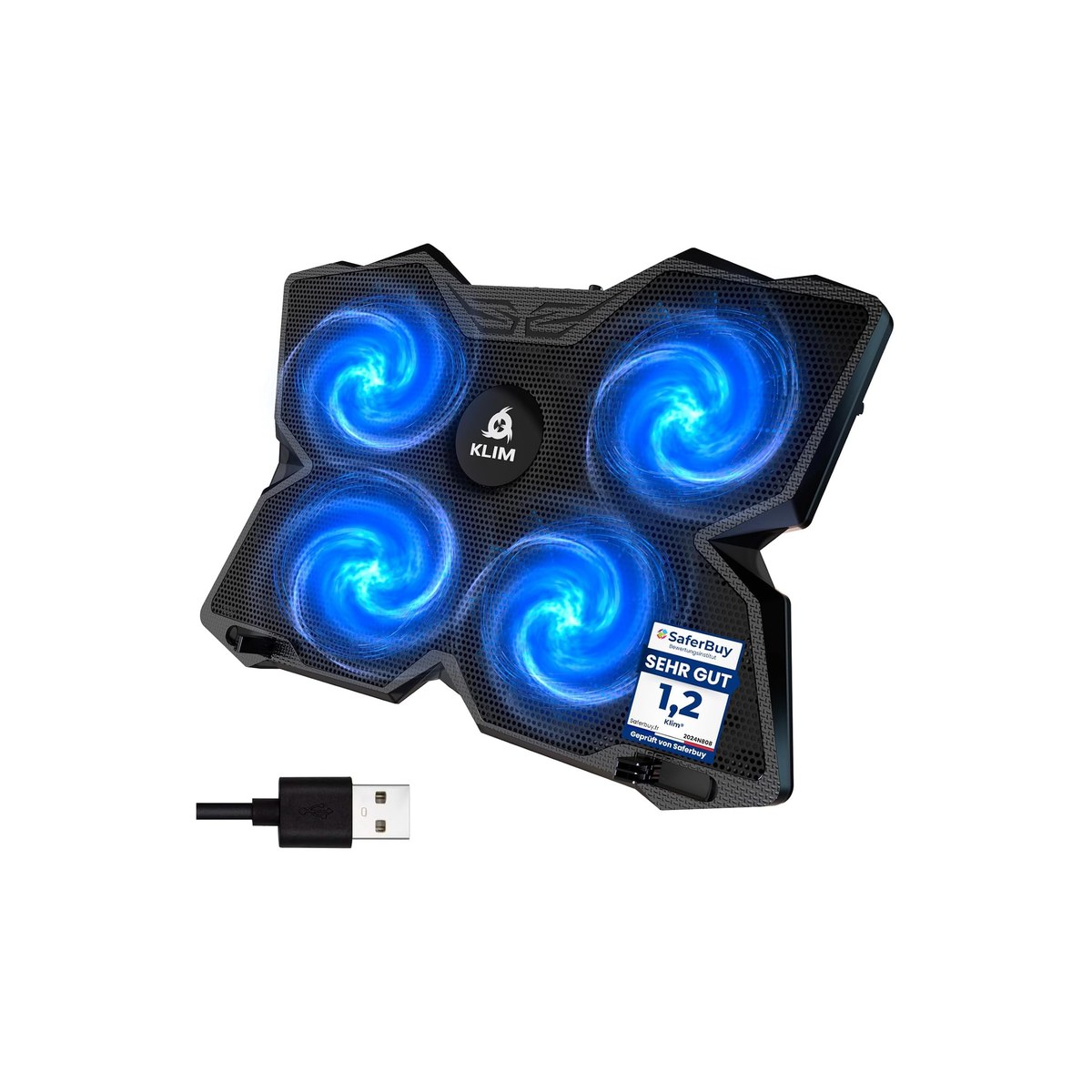
KLIM Wind Laptop Cooling Pad
A four-fan pad that fits any laptop and keeps a USB port free.
Who it's for: the rig worker who wants one no-fuss pad that keeps a laptop from throttling in a warm cabin and fits whatever they own. The pick for someone in a van, RV, or boat who runs a laptop hard on a hot day, switches between a small ultrabook and a big work laptop, and wants a cheap, universal pad that doubles as a stand without eating a USB port they need for a drive or a dongle.
What we found: the KLIM Wind is the cooling pad we would hand most rig workers, and the owner record backs it, more than 43,000 ratings at 4.5 stars, with over half a million sold. Four 1,200 RPM fans move a steady stream of air across the laptop's underside, it fits anything from an 11-inch laptop to a 19-inch desktop replacement, and two pass-through USB ports mean it does not cost you the slot it borrows. It tilts to a better typing and viewing angle too. The honest limits: the fans run at one speed, so it is always on when plugged in, and the airflow is a steady breeze, not the gale a heavy gaming load wants.
Bottom line: buy the KLIM Wind if you want one cheap, universal pad that quietly buys back some performance on a hot day and works with every laptop you own. It is the safe default. Step up to the KLIM Cyclone if you are on calls and want the quietest option, or to the Llano if you push your laptop hard enough to need real, aggressive cooling and can live with the noise.
- + Four fans move steady air across the whole underside
- + Fits any laptop from 11 to 19 inches
- + Two pass-through USB ports keep a slot free
- + 4.5 stars across 43,000+ owners, over 500,000 sold
- × One fan speed, no switch, always on when plugged in
- × A steady breeze, not aggressive gaming-load cooling
- × Bigger and heavier than the slim packable pads
Runner-up: KLIM Cyclone Laptop Cooling Pad.

KLIM Cyclone Laptop Cooling Pad
Five low-noise fans, the one to run while you are on a call.
Who it's for: the rig worker who is on video calls or records audio and cannot have a cooling pad roaring under the mic. The pick for someone who needs the laptop cooled but works on Zoom, Teams, or a podcast from a quiet cabin, and wants five fans that move real air without the jet-engine noise of a turbo cooler, in a sturdy pad that still fits a 17-inch laptop.
What we found: the Cyclone is the quiet pick, and that is the whole point for a rig where the laptop and the microphone share a small cabin. Its five fans are rated around 27 decibels, quiet enough to leave running through a call, and it is a stable, well-built pad that fits up to a 17-inch laptop. More than 9,000 owners rate it 4.4 stars at about $45. The honest catches: it costs more than the simple pads, and a quiet pad by design moves less air than a turbo cooler, so it is a keep-it-steady tool, not a render-rescue. Stock comes and goes, so if it is sold out, the Havit is the next-quietest pick.
Bottom line: buy the Cyclone if you are regularly on calls or recording and want cooling you can leave running without anyone hearing it. For pure quiet-while-cooling it is the pick. If you mostly want the cheapest pad that still runs fairly quiet, the Havit costs less, and if you need maximum cooling for heavy editing and do not care about noise, the Llano moves far more air.
- + Five low-noise fans, around 27 decibels, fine on a call
- + Stable, well-built, fits up to a 17-inch laptop
- + Backed by a five-year warranty
- + 9,000+ owners at 4.4 stars
- × Costs more than the simple pads
- × Quiet design moves less air than a turbo cooler
- × Stock comes and goes, so the Havit is the in-stock quiet backup
Budget pick: Havit HV-F2056 Laptop Cooler.
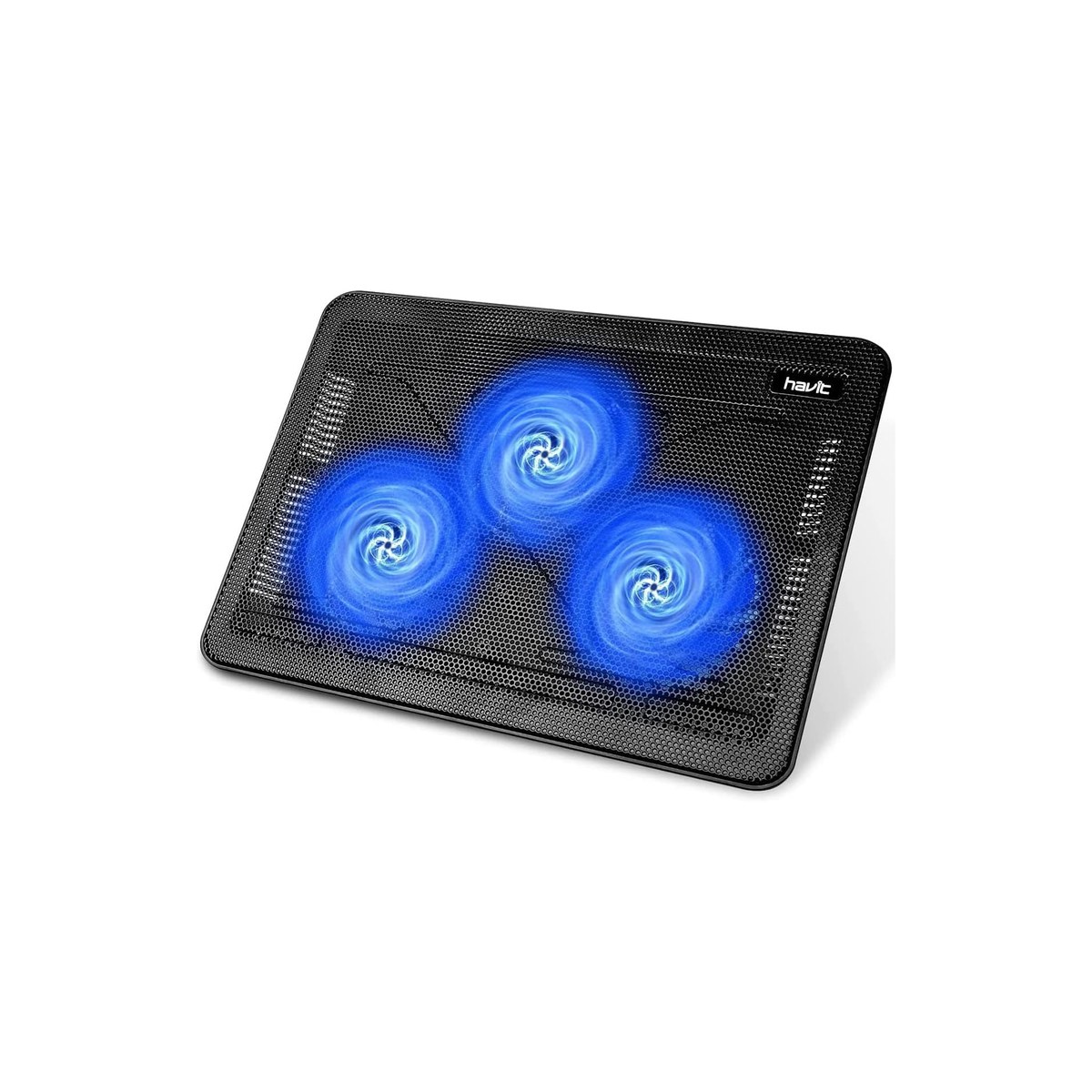
Havit HV-F2056 Laptop Cooler
Slim, packable, and quiet, with the deepest review count here.
Who it's for: the rig worker who wants a genuinely useful cooling pad for the least money and the smallest pack size, and does not need a famous brand. The pick for the new nomad or the minimalist who carries a laptop and a charger, wants a slim pad that slides into a backpack and quietly keeps the underside cool on a warm day, and is happy with a steady breeze rather than aggressive cooling.
What we found: the Havit HV-F2056 is the value pick, and the proof is the review record, nearly 45,000 ratings at 4.5 stars, the deepest in this guide. For about $28 you get three big 110-millimeter fans that spin slowly and quietly, two pass-through USB ports, two height settings, and a slim 1.1-inch body that weighs about a pound and a half and packs flat. The big slow fans make it one of the quieter pads here, a bonus on calls. What you give up is reach and rigidity: it fits up to a 17-inch laptop but the plastic mesh flexes under the heaviest machines, and it moves less air than a turbo cooler.
Bottom line: buy the Havit if price and pack size decide it, and do not feel like you settled, nearly 45,000 owners are happy and it runs quiet. It covers the everyday job, keep a working laptop from cooking on a warm day, for the price of lunch. Step up to the KLIM Wind for a fourth fan and a wider laptop fit, or to the Cyclone if calls make quiet your top priority.
- + Nearly 45,000 ratings at 4.5 stars, the deepest here
- + Slim 1.1-inch body, about 1.5 lbs, packs flat
- + Three big slow fans run quiet, good on calls
- + Two pass-through USB ports, two height settings
- × Plastic mesh flexes under the heaviest 17-inch laptops
- × Moves less air than a turbo cooler
- × Fits to 17 inches, not the 19 the KLIM Wind reaches
Also worth considering.

Llano V12 Turbofan Cooling Pad
Moves the most heat for sustained video editing, if you can take the noise.
Who it's for: the creator or power user who pushes a laptop hard, editing 4K, rendering, long exports, and needs the most cooling they can get, noise be damned. The pick for someone whose laptop throttles under sustained load in a warm cabin, films or edits from the rig, and would rather hear a loud fan than watch an export crawl or the laptop shut down mid-render.
What we found: the Llano V12 is the max-cooling pick, built around a single 5.5-inch turbofan that moves far more air than the multi-fan pads, with adjustable speed, an enclosed housing that channels air at the laptop, and a 3-port USB hub. More than 2,700 owners rate it 4.5 stars at about $96. It is the one here that can actually rescue a throttling editing laptop. The honest catches are exactly what you would expect: at full tilt it is loud, too loud for a call, it is the most expensive pick by far, and it is styled as gaming gear with RGB lighting you may not want in a tidy rig.
Bottom line: buy the Llano V12 only if you genuinely push your laptop hard and need real cooling, and you can turn the fan down or off when you are on a call. For heavy editing in a hot cabin nothing here cools better. If your real problem is calls or pack size rather than raw heat, almost everyone is better served by the quieter, cheaper KLIM Wind or Cyclone.
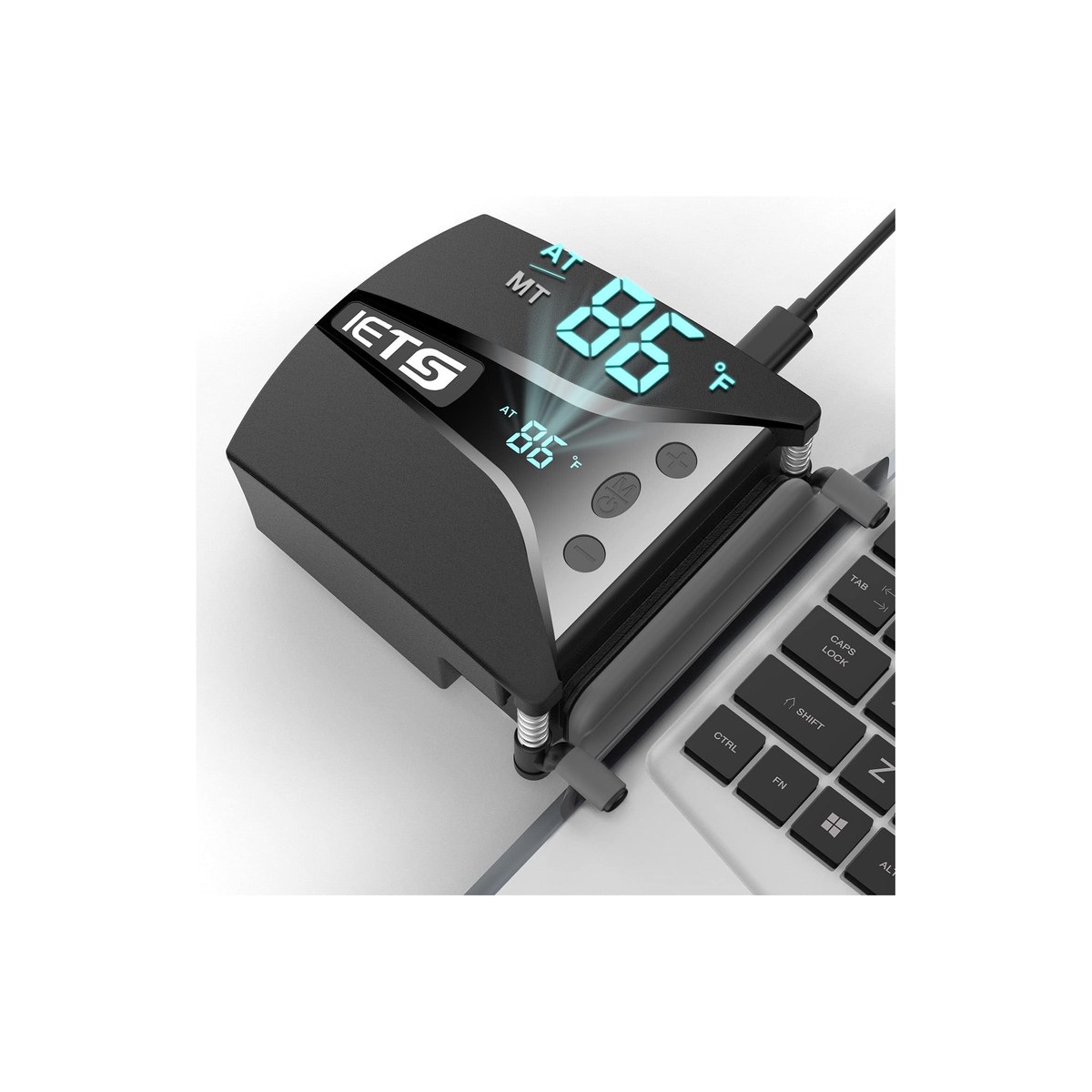
IETS GT202UB Vacuum Laptop Cooler
A clip-on vacuum cooler, the right tool for a MacBook or side-vent laptop.
Who it's for: the worker on a MacBook or a thin laptop that vents from the side or rear, where a flat fan pad blowing at a sealed bottom does almost nothing. The pick for the creator whose MacBook Pro overheats while editing in a warm cabin, who has learned a normal cooling pad did not help, and wants a cooler that actually pulls the hot air out of the machine's exhaust vent.
What we found: the IETS GT202UB is a vacuum cooler, a different tool from a pad, and the right one for the laptops a pad cannot help. It clamps over the laptop's side or rear exhaust vent and sucks the hot air straight out with a turbo fan adjustable across 13 speeds, with a little temperature display. On a MacBook or a side-venting creator laptop, that beats a bottom-fan pad that just blows at a closed underside. It rates 4.2 stars across about 600 owners at $33. The catches: it only works on a laptop with an accessible exhaust vent, it does nothing for a sealed fanless machine, and the high speeds are noisy.
Bottom line: buy the IETS GT202UB if you run a MacBook or any side-vent laptop and a normal pad has let you down, it is the cooler that fits how those machines actually move air. If you have a standard bottom-intake laptop, a flat pad like the KLIM Wind is simpler and cheaper, so match the tool to your laptop's vents.
Skip this guide if...
Your laptop stays cool and quiet for what you do, or you mostly work somewhere air-conditioned. If the fans rarely spin up and nothing throttles, a cooling pad is solving a problem you do not have. It earns its place once a laptop runs hot under real load, throttles or shuts off on a warm day, or you work from a van, RV, or boat cabin that bakes in the sun with no AC.
Don't bother with.
- × Skip An RGB cooler bought for the lightsPlenty of cooling pads sell on a glowing light show, and the lights do nothing for temperatures while drawing extra power, which is wasted off-grid. Some RGB models are loud turbo coolers aimed at gamers. Pick a pad for how much air it moves and how quiet it is, not how it looks, and choose the plain SKU.
- × Skip An internal replacement fan, thinking it is a padSearch results mix in 'laptop cooling fans' that are actually the fan inside the laptop, a repair part you install by opening the machine. That is a fix for a dead fan, not an external cooler. A cooling pad sits under the laptop and needs no disassembly, so check you are buying a pad, not a spare part.
- × Skip A passive cooling mat or gel pad with no fanSome cooling lap mats and gel pads have no fan at all, they just spread heat for a moment and then soak it up. With no airflow they do nothing for a laptop throttling under load. If you want actual cooling, you want moving air, which means a fan, so skip the passive mats.
How we picked.
How we picked, and why we don't claim to test
We don't run a lab. We read the owner-review signal across Amazon and the maker spec sheets, weighted for a hot, off-grid cabin, and ranked five by what matters in a rig: how much heat each moves, how loud it is on a call, how much power it draws and whether it keeps a USB port free, pack size, and the laptop sizes it fits. We verified every pick was in stock at a current price the day we published. We left out internal replacement fans, phone coolers, desktop PC fans, and passive gel mats, which are different products, and we included one vacuum cooler because it is the honest answer for the MacBooks and side-vent laptops a flat pad cannot help.
The two things that decide whether a pad helps
The first hard truth is that a cooling pad can only cool toward the air around it. In a 70-degree room a good pad pulls something like 5 to 10 degrees Celsius off a working laptop under load, often enough to stop throttling. In a sun-baked cabin at 90-plus degrees, the pad is blowing hot air across a hot chassis, so the real drop shrinks to a few degrees. That does not make a pad useless in a rig, it still moves stagnant heat away and adds airflow a still cabin lacks, but it does mean the bigger lever is the cabin itself: park in shade, crack a vent or run a fan, and do the heavy work in the cool of the morning. A pad buys headroom; the cabin sets the ceiling.
The second is that your laptop's design decides how much a flat pad helps at all. A laptop that pulls cooling air through vents on its bottom gets the full benefit of a pad blowing up at it. A laptop that vents only from the sides or rear gets much less, and a MacBook gets little, because its components sit up behind the keyboard, not against the bottom plate, and a pad can even block the side intakes. For those machines a vacuum cooler that clamps over the exhaust vent and pulls hot air straight out does far more than any pad. Flip your laptop over and look: bottom vents mean a pad, side or rear vents mean a vacuum cooler.
What our scores mean, and a note on the picks
Our scores reflect how consistent the owner signal is and how well each cooler fits work from a hot rig, not lab measurements. Two honest notes. The Llano scores below the cheaper pads not because it cools worse, it cools the best here, but because it is loud, pricey, and gamer-styled, so it fits the fewest rig workers. And the IETS vacuum scores lowest not because it is a poor tool, it is the right tool for a MacBook, but because it only suits laptops that vent from the side or rear. We name the cheaper, quieter, or better-suited alternative on every pick so brand is never the reason to buy.
FAQs.
Q01 What is the best laptop cooling pad for working from a van or RV?
+
Q02 Does a laptop cooling pad actually work?
+
Q03 What is the best laptop cooling pad for a MacBook?
+
Q04 Which laptop cooling pad is quietest for video calls?
+
Q05 Will a cooling pad fix my laptop slowing down on battery?
+
Q06 How do I power a cooling pad off-grid?
+
If you, then this.
- IF you want one cheap pad that fits any laptop and just worksGET KLIM Wind$30 →
- IF you are on calls and need cooling you can leave running quietlyGET KLIM Cyclone$45 →
- IF you want a useful pad for the least money and pack sizeGET Havit HV-F2056$28 →
- IF you push a laptop hard editing and need the most coolingGET Llano V12$96 →
- IF you run a MacBook or a side-vent laptop a flat pad can't helpGET IETS GT202UB$33 →
Work-from-Anywhere Gear: The Complete Guide
The whole mobile-office picture →Every system in a work-from-anywhere setup, organized in one place, with the foundation every remote worker needs and the one guide we trust for each.